
Thunderbird to the rescue!
Thunderbird is a free email application that’s easy to set up and customize - and it’s loaded with great features!
You can download from here
Thunderbird has amazing features: attachment removal, calendar integration, encryption, plugins (add-ons) galore, etc…
Here we’ll explore a feature I find particularly useful to free up some precious Google cloud storage space.
I’ll soon write an article on using Google Photos for unlimited (yes, unlimited) super high quality photo and video storage.
Perhaps one of the most useful features of attachment handling. Thunderbird let’s you remove an attachment from an email without deleting the email bodyaOne of the most useful things, is to be able to delete the attachment from an email without deleting the email itself. Its also possible to keep the original date.
After a save dialog box where you can choose where to save the attachment, Thunderbird warns about what is about to happen:

Back in GMail, you can confirm that the email is still there with all its original metadata (date sent, most importantly).
This way you can clean you inbox of heavy attachments without deleting the emails themselves. You keep all the body of the email and its invaluable metadata (like date sent/received).
I sometimes get fed up with GMail for not letting me order emails by Sender or Subject. So I decided to test Thunderbird yet again.
GMail is great. No doubt about it. I don’t even care that it reads all my emails to serve me advertisements I’d care about.
Ordering my emails by sender or subject make it SO MUCH EASIER to clean up unwanted emails.
Not that I am an “inbox-zero” type of person. But it bothers we when I make a simple search and all this clutter shows up in my search results.
I also don’t like deleting my email in general. Only crude advertisement emails that I know I don’t care about. I think of my inbox as a type of diary.
In GMail you can’t order and group you emails by date, like in this view, for example:
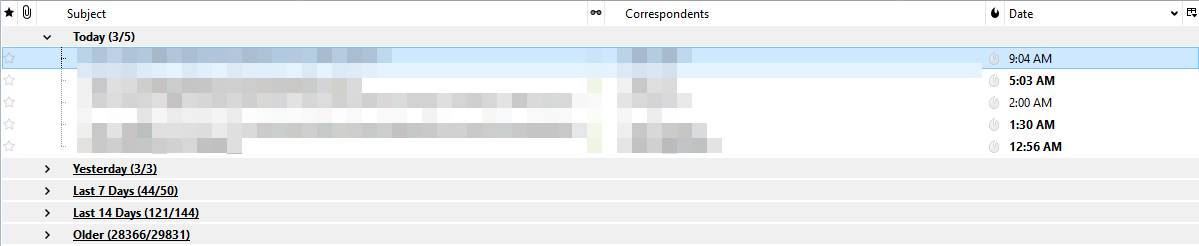
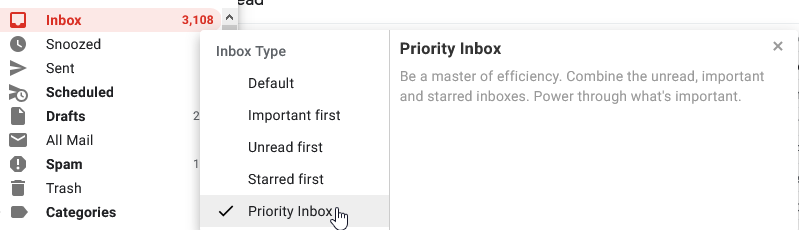
However, in a desktop you don’t get (at least by default) all of GMail’s great filtering like a Priority Inbox view: combining unread, important and starred inboxes. This is a feature I truly appreciate.
I’ve used Thunderbird in the past, so I know quite a few add-ons I used in the past.
If you’re curious, head on to Tools->Add ons and take a peek at the power of Thunderbird (69 pages of add ons).
Back in the day (a few months ago?) there was no way to send an email in the future (in latest GMail is now possible, also to snooze mails). But Thunderbird hand an add-on to do this yeeears ago…
This is by no means a review of Thunderbird. I just wanted to show you how to delete attacments without deleting the email itself. Thus you can declutter you precious Google cloud storage space.